Polynomial roots
The image of a circle by a polynomial
Consider the polynomial  where i is the imaginary unit.
Define this polynomial in the applet by entering its coefficients in the Algebra panel or by dragging the corresponding points in the Graphics panel to:


Set now r to a small value. Observe the original circle  in the original window and its image by p in the other window. This curve looks like a small circle around
  that does not include the origin in its interior.
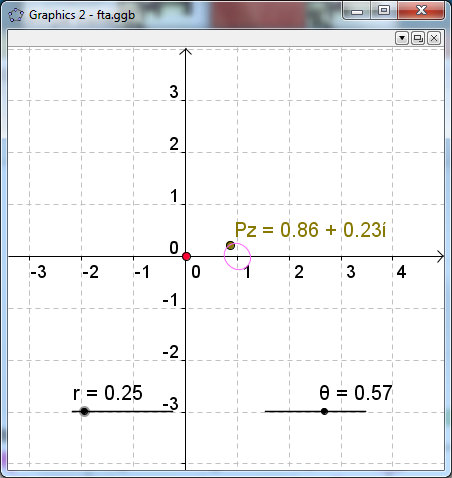
Figure 1: The image of a small circle centered in the origin looks like a small circle around  This curve does not contain the origin in its interior.
Set now r to a higher value, for instance,  Notice a bigger circle in the original window and also a bigger curve in the image window that makes several (three) loops around the origin.
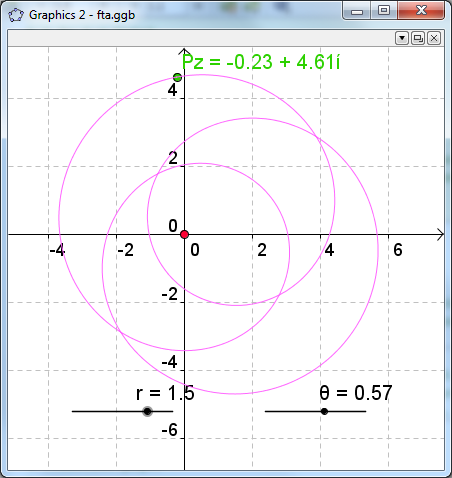
Figure 2: The image of a bigger circle is a curve looping three times around the origin.
Looking for roots
The idea for finding the roots of the polynomial is that continually changing the radius of the circle , its image would continually change from the small curve of Figure 1 to the curve in Figure 2.
As the origin is outside the initial image curve and inside the final image curve, at some intermediate step, the curve must have passed through the origin.
This crossing means that the value of the polynomial at some point is 0. We will graphically determine this point, that is a root of the polynomial.
Modulus
Let us gradually change the value of r using the corresponding slider in the image window.
Try to find a slider position where the image curve passes through the origin. This happens for instance for 
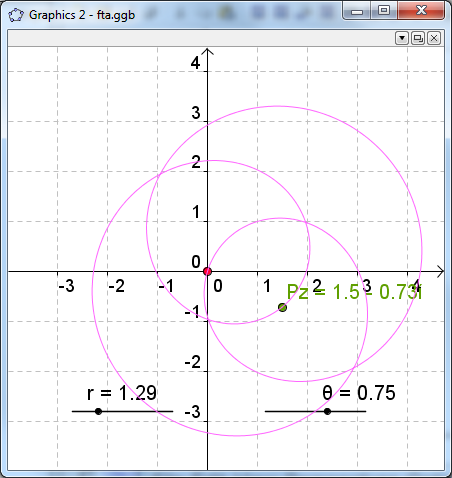
Figure 3: The image of the circle centered in the origin with radius 1.3 touches the origin in the image plane.
This means that  for a complex of modulus 1.3. All the complex numbers of modulus 1.3 are in the circle of radius 1.3 centered in the origin that appears in the original window of our applet. The green point on this circle marked with an arrow is one of them, whose cartesian coordinates appear in the Algebra and in the Graphics panels.
Argument
Now, we can change the angle  of this point, also called the argument of the complex, by using the slider marked with in the image window until the point called Pz, moving along the image curve, reaches the origin. In this case, this happens for
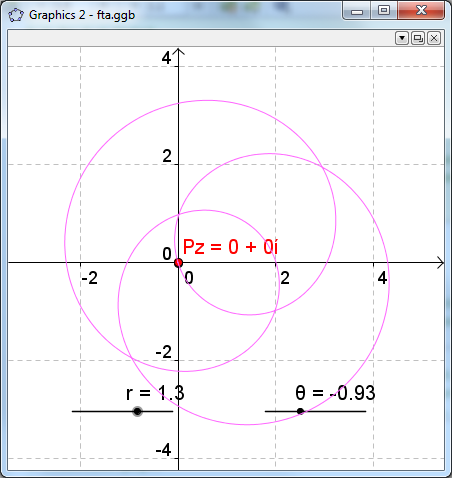
Figure 4: The polynomial has a root of modulus 1.3 and argument -0.93 radians.
When the point is near the target, you can move the sliders more accurately using the Up and Down cursor keys and zoom in and out the graphic whith the mouse wheel.
If you succeed in getting Pz=0+0i, then you have found a root,  of the polynomial p. Its binomial expression appears in the original window, in this example
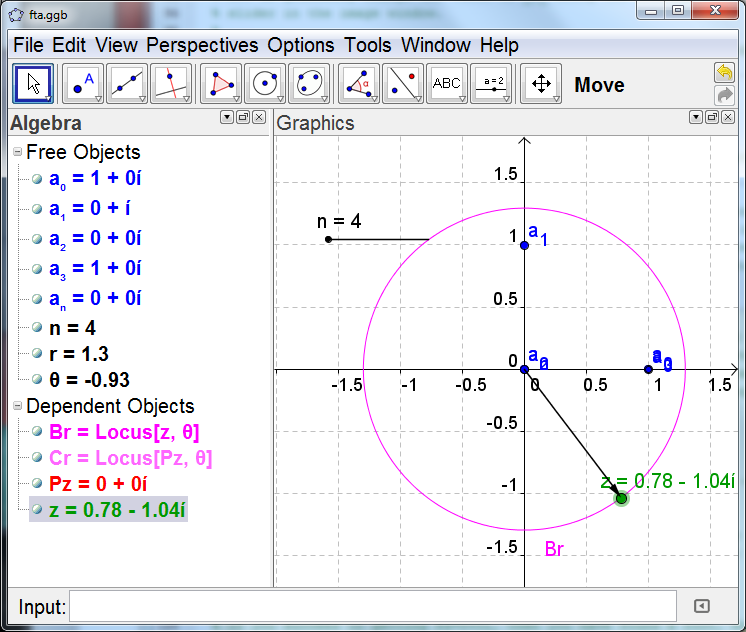
Figure 5: The binomial and vectorial representatiosn of the root are shown in the Algebra an Graphics panels of the original window.
Exercise 1
Find the other two roots of the polynomial.
Exercise 2
Define another polynomial and find its roots.