Some interesting curves
Epitrochoids
The curve described by a point  attached to a circle of radius
  rolling around a fixed circle of radius
  is called epitrochoid.
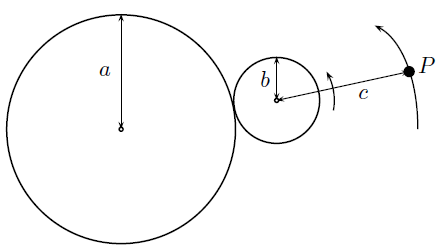
Figure 1: Generation of an epitrochoid
The parametric equations of the epitrochoid are:


where  is the distance from to the center of the rolling circle.
When  point is on the moving circle and the curve is named epicycloid. For example, the epitrochoid with
  is the cardioid, the trajectory of a point of circle of radius
  that rolls around another circle of the same radius. Some other known epicycloids are the nephroid, with parameters
  and the ranuncloid, whose parameters are in proportion
If  is rational, the epitrochoid of parameters
  can be obtained in the complex plane as the image of the unit circle by the polynomial
  where
where  is the irreducible expression of
 and
and 
The cardioid
The parameters of the cardioid are  Then,
Then,

so that, we can take  ,
,  . The polynomial coefficients are
  , and
, and  Then, the polynomial is
Define this polynomial in the applet by entering its coefficients in the Algebra panel or by dragging the corresponding points in the Graphics panel to:


Setting  one obtains the cardioid in the image window
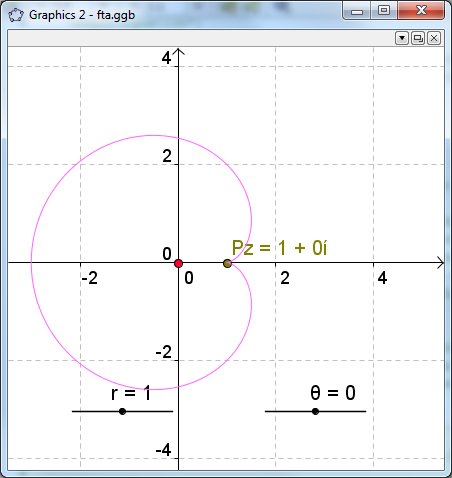
Figure 2: The cardioid
The nephroid
The parameters of the nephroid are  Then,
Then,

so that, we can take  , . The polynomial coefficients are , and
  Then, the polynomial is
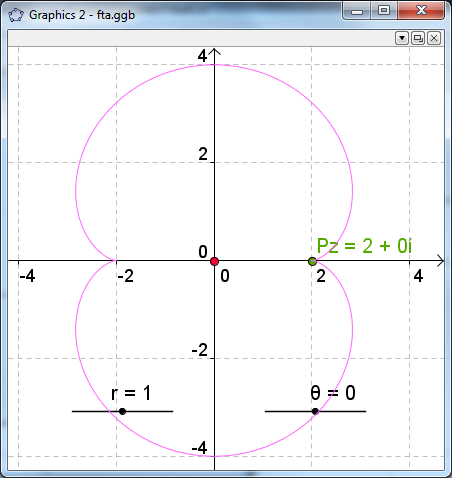
Figure 3: The nephroid
The ranuncloid
The parameters of the ranuncloid are  Then,
Then,

so that, we can take  , . The polynomial coefficients are , and
  Then, the polynomial is
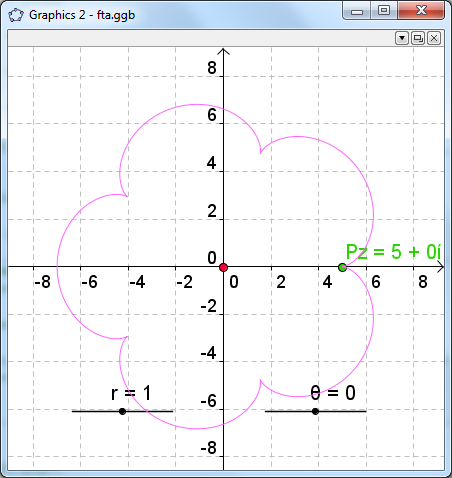
Figure 4: The ranuncloid
Epitrochoid generated by a polynomial
Reciprocally, a polynomial of the form  generates the epitrochoid with parameters



as the image of the circle of radius r centered in the origin.
For example,  maps the unit circle on the epitrochoid with parameters
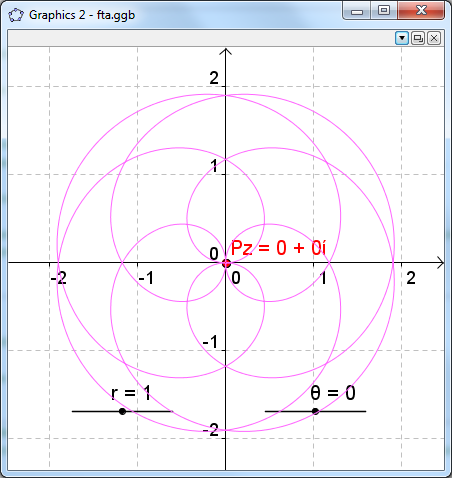
Figure 5: Epitrochoid generated by
Spirograph
To simulate the drawing of the curve, we can animate the slider of the argument. Right click on that slider and check Animation On in the Basic tab.
You will see the point Pz moving along the curve.
For a more realistic simulation, hide all the objects in the image window, except the argument slider and the point Pz (hide its label also).
Set on the trace of that point and restart the animation.
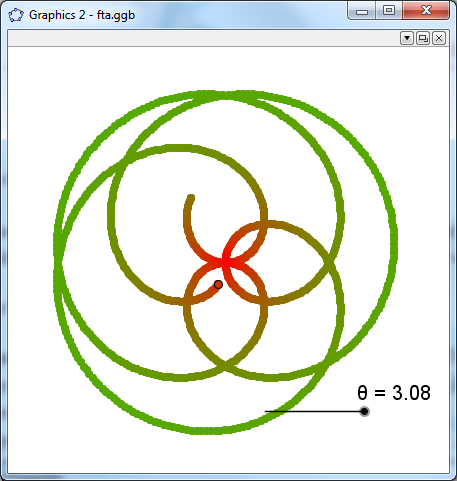
Figure 6: Spirograph simulation